Mileage: Submit a trip
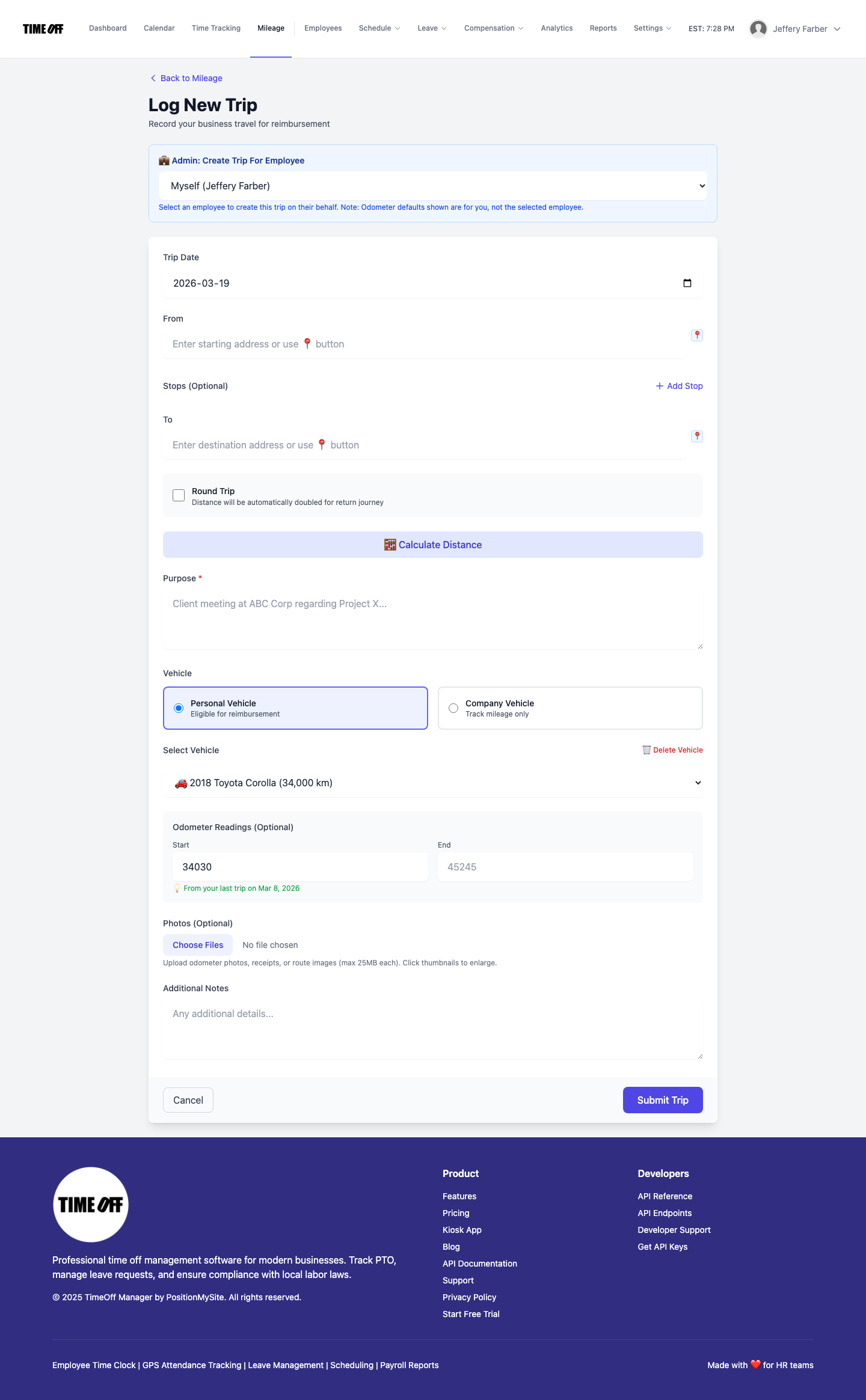
Manual Log New Trip at /mileage/create (date, route or odometer, vehicle). Live GPS Start trip is on /mileage, not this form.
/mileage/create
Roles
Employee · Company admin
Log New Trip at /mileage/create is where employees (and admins logging on behalf of the team, when enabled) enter a business trip for distance tracking and reimbursement.
Your central list and stats live on My Mileage (/mileage).
Purpose
This is the same New trip form as the mileage hub. Plan the route, then Start driving to track GPS, or Already drove — save trip to log a completed trip. Submitted trips usually stay pending until an approver acts.
Typical flow
- Open Mileage, tap New trip — or go straight to
/mileage/create. - Complete required fields; save. Your trip appears on your mileage list with status pending unless your tenant auto-approves. Approvers work the queue at Mileage: Management (admin).
- Edit or delete from the trip list while policy allows.
Requirements
Mileage must be enabled for your company. If the menu or URL isn’t available, an administrator needs to turn the module on.
Product screenshot
Automated capture: full page on the create-trip form (demo tenant with mileage on).
Mileage — new trip form (Acme demo).