Timesheet: Manager & HR hub
The /timesheet command center: Daily / Weekly / Monthly. Day notes and forgot-punch are separate queues — weekly grid is hours, not punch reconstruction.
/timesheet
Roles
Manager · HR manager · Company admin (similar tabs at /timesheet)
For many organizations, /timesheet is the main operational time-tracking screen for managers and HR: one place to see who is working now, drill into the week to correct hours and overtime, and zoom out to monthly totals.
Why this page matters
Unlike the personal employee timesheet shortcut, the default /timesheet experience for leadership is built around oversight: live status, editable weekly grids where your policy allows, and overtime visibility tied to company rules.
To configure those rules, use Overtime: Admin rules. It complements reports and payroll flows by being the screen you open every day when time tracking is on.
URL & access
- Path:
/timesheet(requires sign-in; time tracking enabled for the company). - Managers & HR — Typically land on the Time Tracking Management layout with tab navigation below the summary cards.
- Plain employees — Also use
/timesheet, but tabs focus on their own punches unless they have team responsibilities.
Forgot punch vs day notes
Reconstructing a missing clock is Forgot to punch (and the Approval Center). Annotating a day that already punched correctly is Payroll day notes / hours at /admin/payroll-adjustments.
The Weekly grid is for hours and overtime — it does not replace those two queues.
Daily, Weekly, Monthly
Daily View
Snapshot of today: who is clocked in or out, quick entry counts, and routes into today’s punches. Best for morning stand-ups and “who’s missing a punch?”
Weekly View
The workhorse grid: days across the week per person, with room to adjust hours, see regular vs overtime split, and align with schedules. This is where many teams spend the most time during payroll prep.
Monthly View
Higher-level rollup for the selected month: totals and patterns across the team without day-by-day noise. Useful for accrual checks, trend spotting, and manager summaries.
Team Timesheets tab
Users with manager or HR manager duties may also see Team Timesheets — a fourth tab for submission/approval style workflows (wording and fields follow your company’s configuration). It sits beside Daily / Weekly / Monthly on the same page.
Company admins
Company administrators opening /timesheet get the same three core views (Daily, Weekly, Monthly) scoped to the whole company roster of time-tracked staff, with equivalent editing and overtime treatment where permissions allow. The layout matches what managers see; the difference is breadth of data, not the tab model.
Product screenshots
Captured as demo HR manager (see DOCS_CAPTURE_MANAGER_EMAIL in docs/DOC_SCREENSHOT_AUTOMATION.md).
Daily View
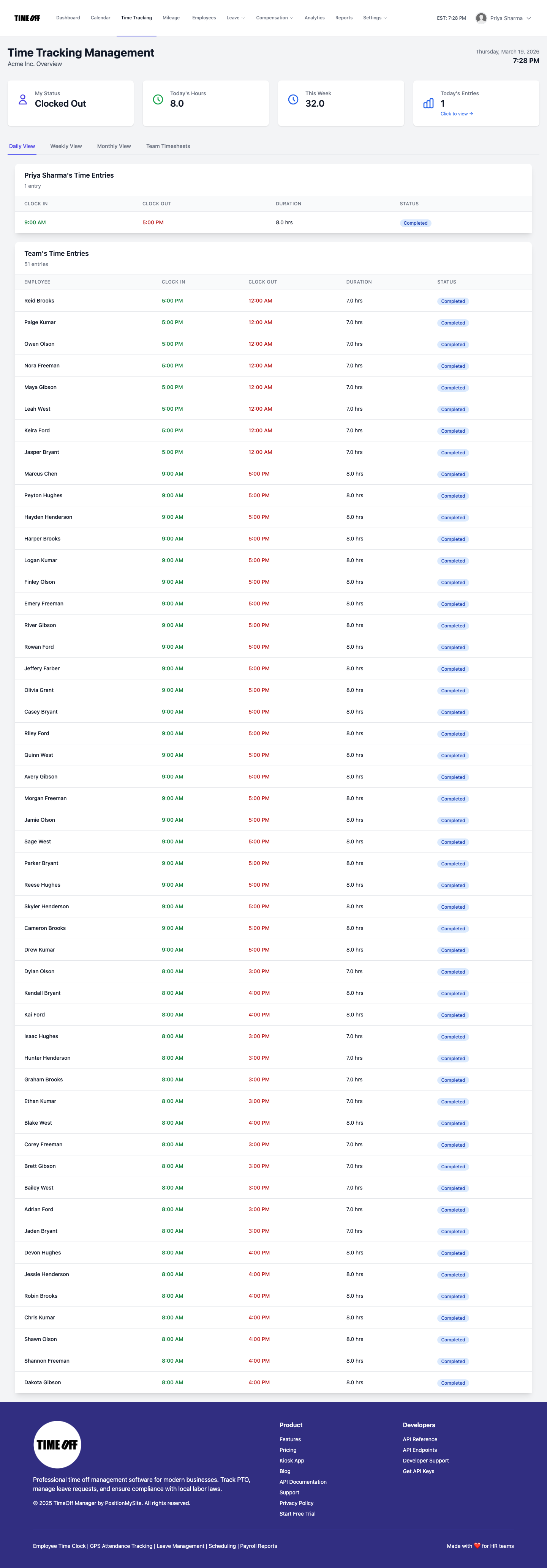
Timesheet hub — Daily View (manager/HR demo).
Weekly View

Timesheet hub — Weekly View (hours & overtime).
Monthly View
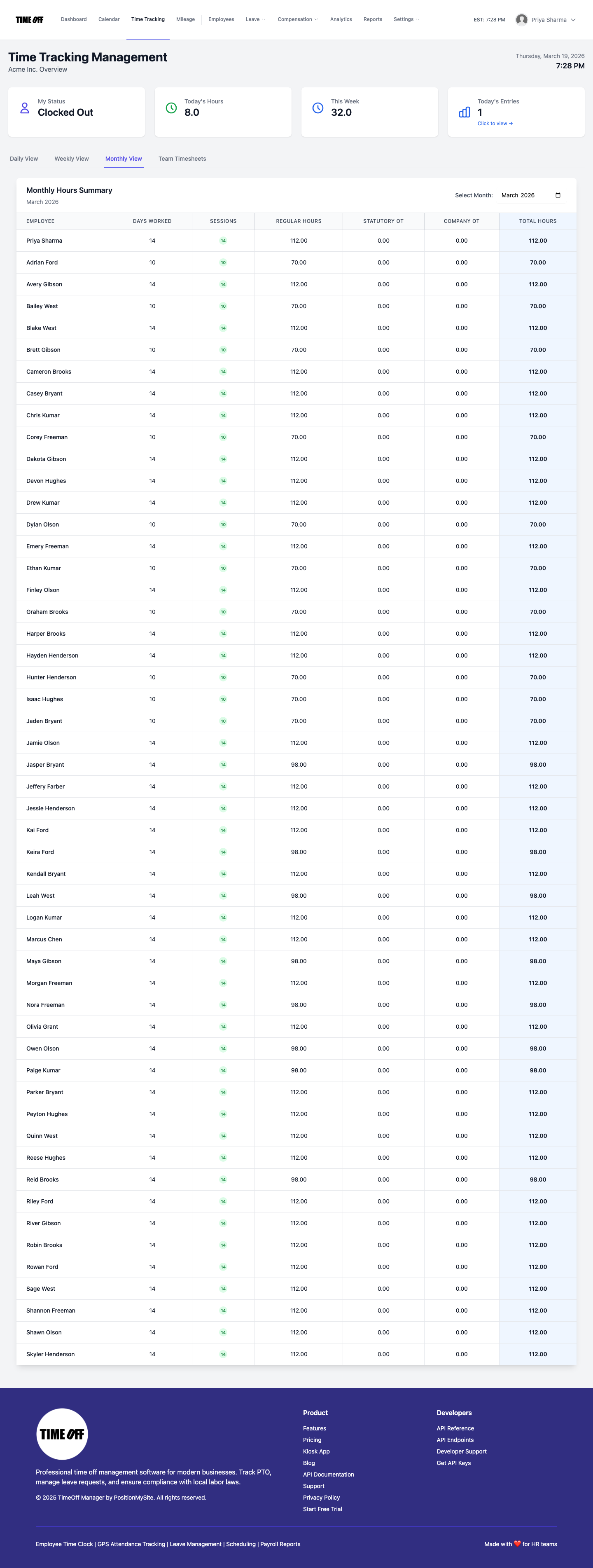
Timesheet hub — Monthly View.