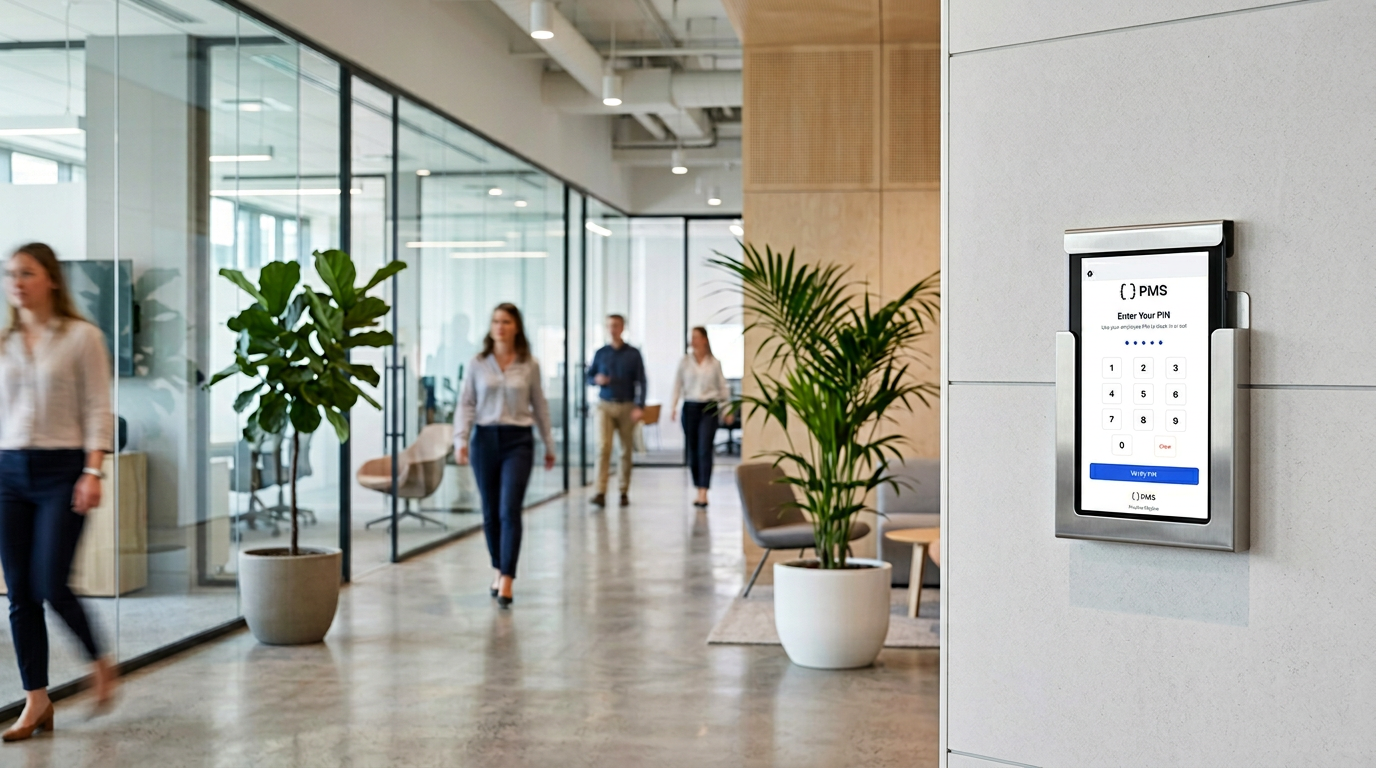
TimeOff Kiosk — the shared workplace time clock
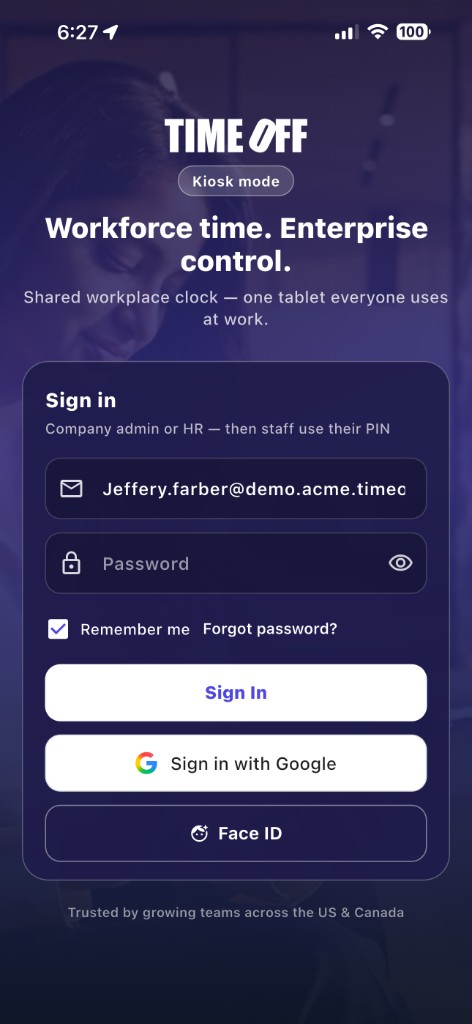
Mount a tablet at the door. Admin signs in once. Every employee clocks in and out with their PIN. GPS and optional selfie on the punch. This is not TimeOff Manager—the signed-in app stays on each person’s own phone.
What TimeOff Kiosk is (and is not)
What it is for
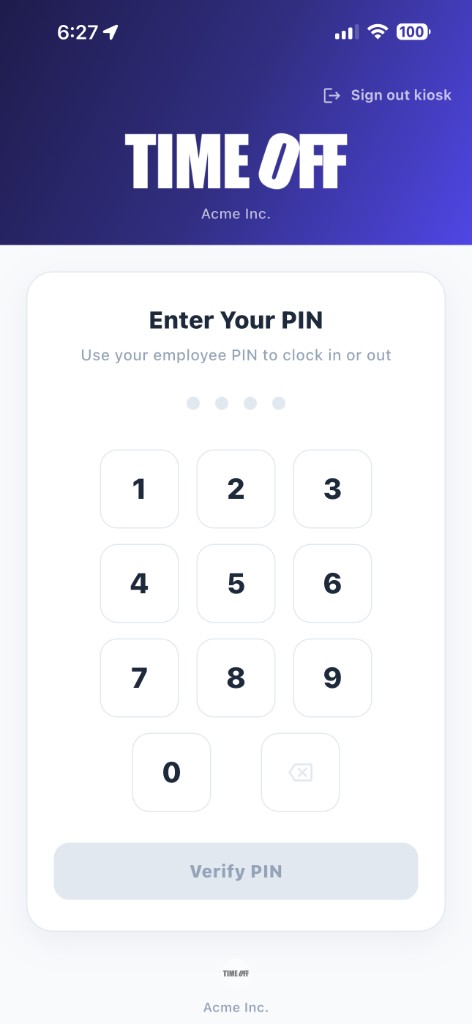
A shared time clock. Company admin or HR logs in once on the device. Employees only use a 6-digit PIN to clock in or out. Use it at reception, a warehouse door, a clinic, or a job-site trailer.
What it is not
It is not TimeOff Manager. Staff do not request leave, log mileage, or view pay stubs here. Personal phones use the TimeOff Manager app (email login), not this kiosk.


Features
-
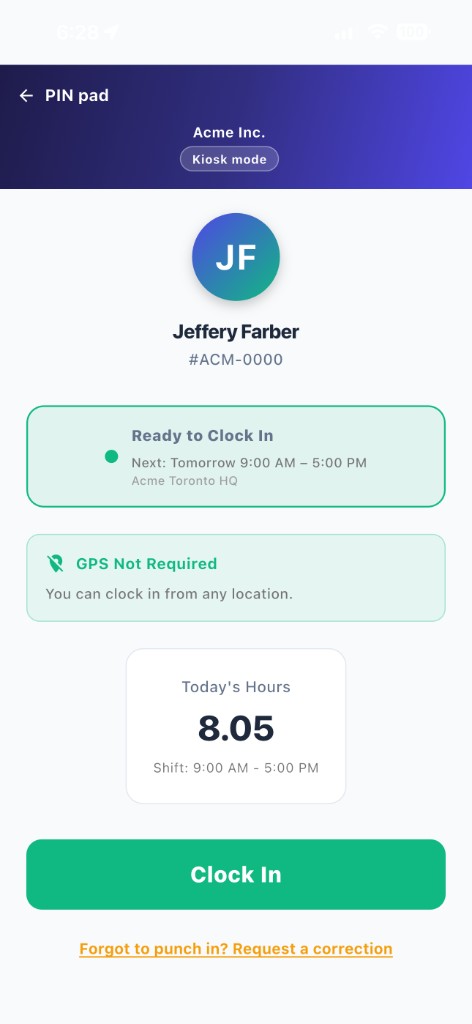
GPS & geofencing — Clock-in only at configured work locations, or allow "mobile workers" to clock in from anywhere.
-
PIN-based punches — After admin login, employees only use a 6-digit PIN. No employee passwords on the shared tablet.
-
Optional selfie verification — Capture a photo on clock in/out when your company requires it.
-
Today's hours at a glance — See total hours worked so far, right on the clock screen.
-
Part of TimeOff Manager — Data flows straight into your timesheets, payroll exports, and dashboard.
Get Started
TimeOff Kiosk works with your TimeOff Manager account. A company admin activates the app on a shared tablet, then employees use their PIN to clock in and out.